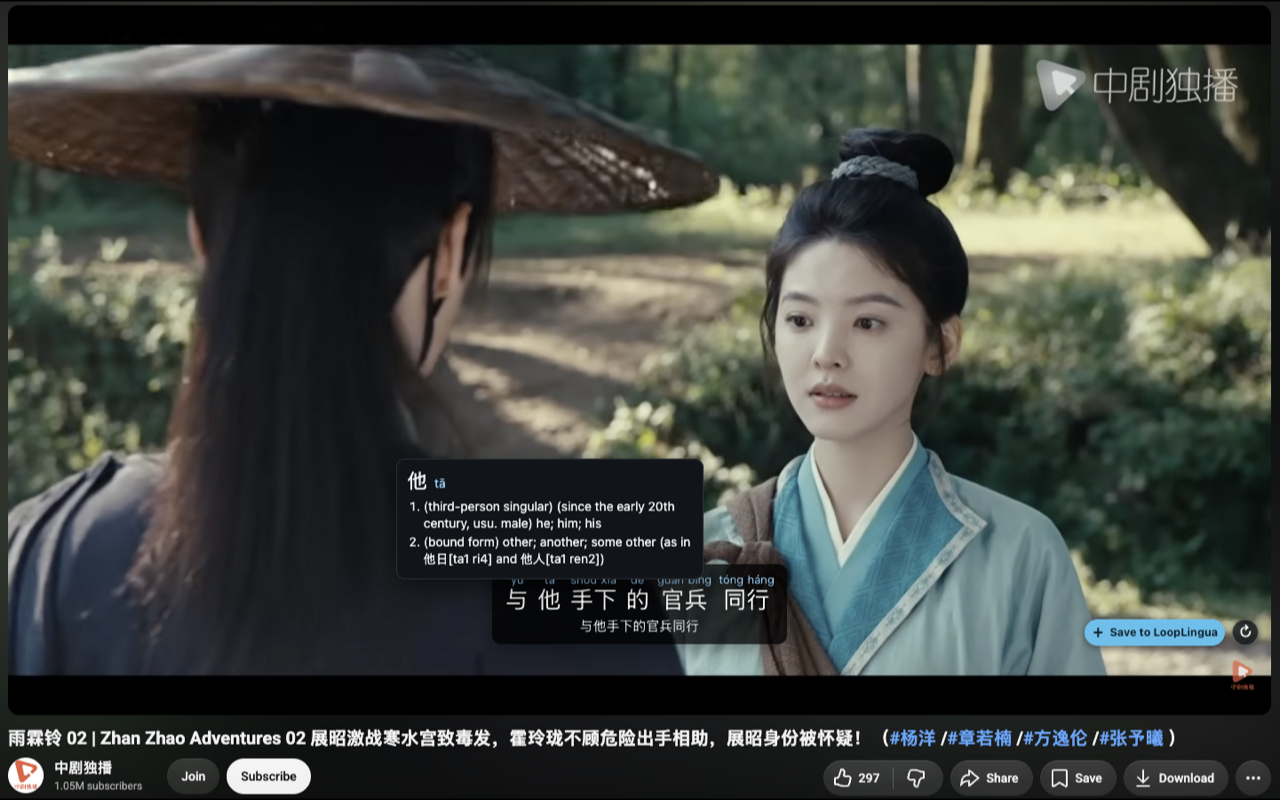
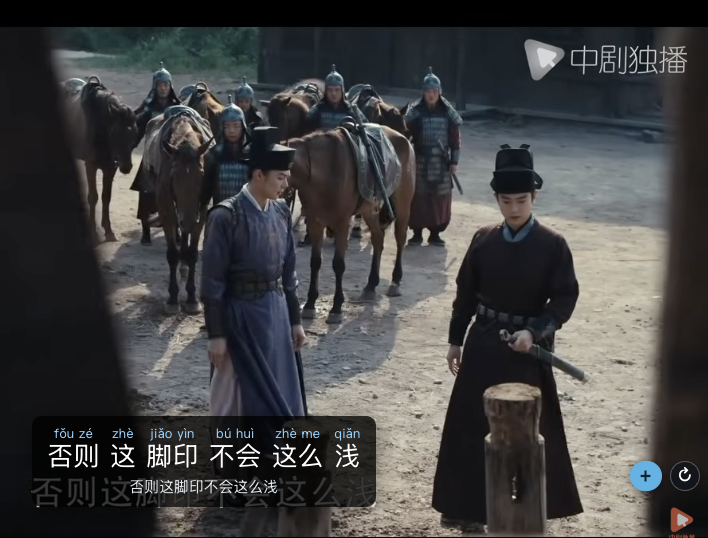
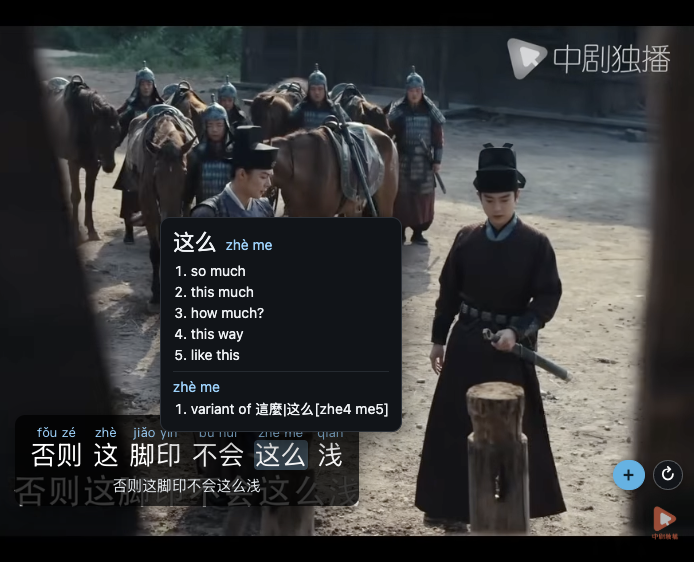
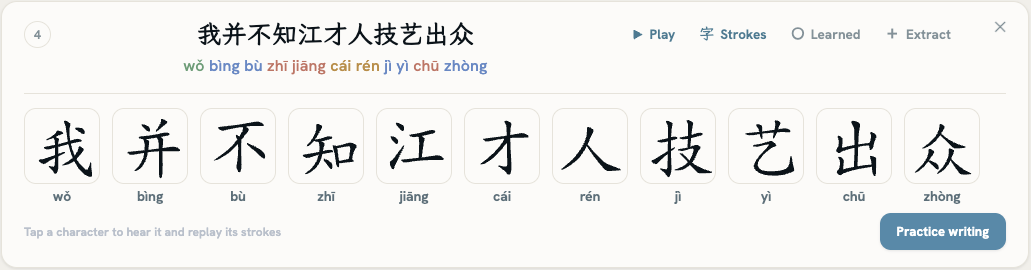
Any YouTube video with Chinese subtitles becomes a lesson. Turn the video's captions on and LoopLingua adds pinyin and English under each line. Tap any word to see what it means, right on the video.
Built for Mandarin
Most subtitle tools support dozens of languages and treat Chinese as just one of them. But Chinese isn't written with spaces, so "add pinyin" only works if you first know where the words are. That's the whole game, and it's where general tools fall down.
Looking for a Language Reactor alternative for Chinese? This is the one built for it.
How it works
Open a Chinese video and switch on YouTube's own captions with the CC button. The pinyin overlay then appears under the player automatically.
Every caption shows tone-marked pinyin over each word, and you can tap any word for its English meaning. A full English translation of the line shows when the video offers one, and on every line with Pro.
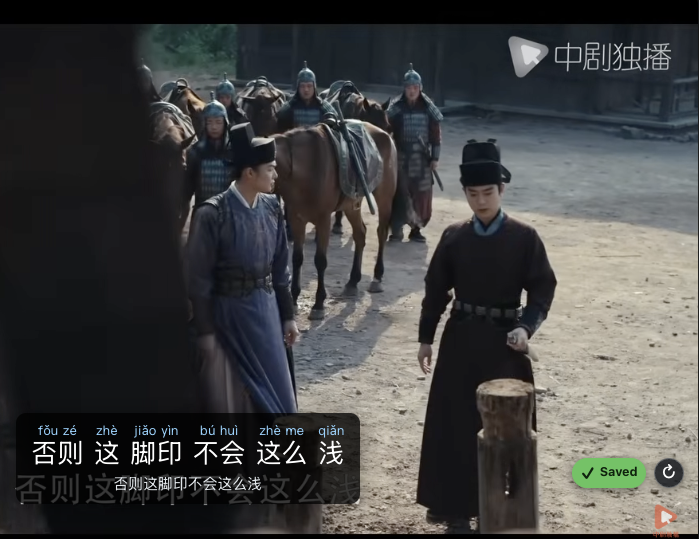
Hit save on any sentence. With a free account it lands in your looplists, ready to practice.
Into the appWhat's inside
Each caption is split into real words with tone-marked pinyin, computed in your browser as the video plays.
Tap any word for an instant definition in a popup. No pausing, no new tab, no copy-paste.
Keep the sentences worth practicing. One click files a line into your looplists in the LoopLingua app.
Everything above is free. Pro adds automatic English translation of every line, for full-video comprehension.
For reading along and building a practice list.
For understanding a whole video end to end.
The loop
The extension is where you catch sentences in the wild. LoopLingua is where they stick. Every line you save turns into shadowing and Narrow Listening practice: hear it looped, say it back, until it's yours.
FAQ
Yes, and you turn them on. LoopLingua reads the video's own Chinese captions, so click the CC button in the YouTube player to switch them on, and the overlay adds pinyin and English on top. Any video with Chinese subtitles works, including auto-generated ones.
No. Reading pinyin, English, and tap-to-define while you watch needs no account. You only create a free LoopLingua account when you want to save a line, so it can sync to your looplists for later practice.
Mandarin Chinese today. The extension is purpose-built for Chinese, with real word segmentation, tone-marked pinyin, and a Chinese-English dictionary. More languages are coming.
General tools treat Chinese as one language among dozens, so they show pinyin without real word boundaries and no tones on the dictionary. LoopLingua is built for Mandarin: it segments each caption into real words, shows tone-marked pinyin, and sends every saved line into shadowing practice in the app.
The extension is free. Pinyin, segmentation, tap-to-define, and saving lines are all included. Pro adds automatic English translation of every line as it plays, for full-video comprehension.
Word segmentation and dictionary lookups run on-device from a bundled dictionary, so your browsing isn't sent anywhere to read a caption. Saving a line sends only that sentence to your own LoopLingua account.
Add the extension, open a Chinese video with captions on, and the pinyin's already there.
Add to Chrome · Free Prefer to start by typing a sentence? Try LoopLingua itself →